
Browser app building

Base44 Online for Faster App Prototyping

Base44 online gives you a browser-first way to describe an app, shape its screens, and review the result without beginning with a local development environment.

Free to start · browser based
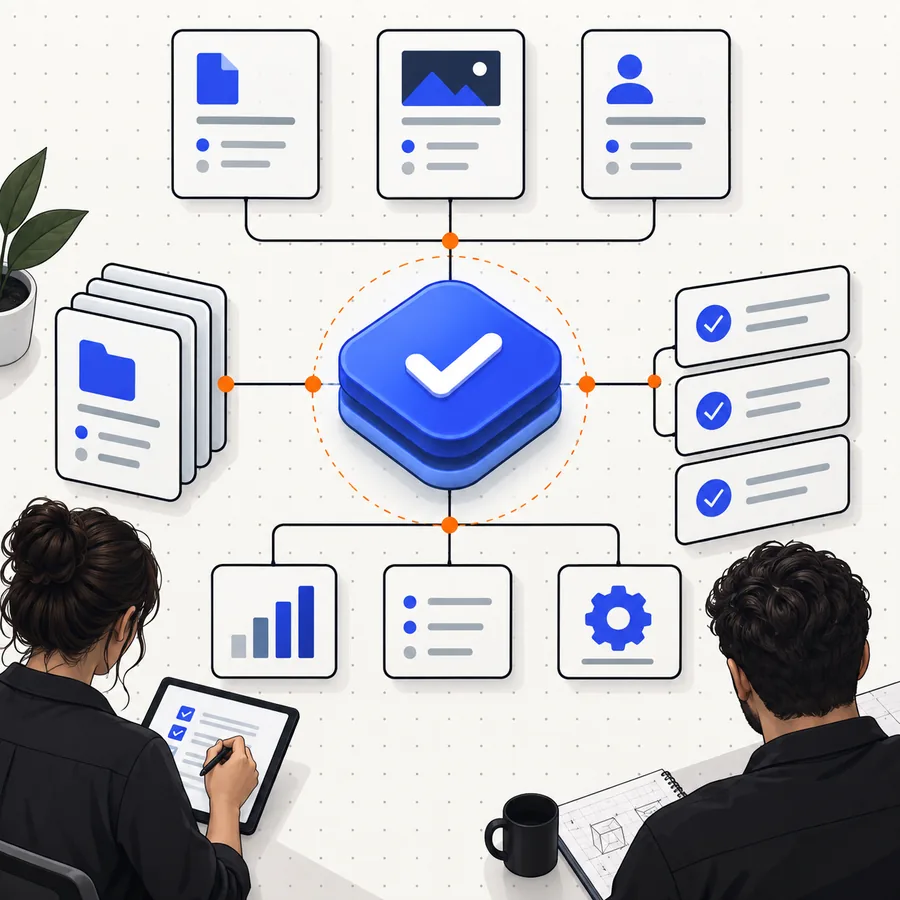
A polished digital product interface representing browser-based app creation

At a glance

A browser workspace with a practical starting point

The online experience is most useful when you want to move from an app idea to a visible, testable direction before committing to a heavier technical setup.

1

Starting point

Base44 online

Describe the product, page, or workflow in plain language

Traditional local setup

Choose a stack, install dependencies, and create a project

2

Access

Base44 online

Open the workspace in a supported browser

Traditional local setup

Install and configure local development tools

3

Early output

Base44 online

Review an app concept and refine the requested experience

Traditional local setup

Run the project locally after initial configuration

4

Iteration

Base44 online

Adjust the brief and inspect the next version

Traditional local setup

Edit files, restart tools, and manage changes manually

5

Technical entry barrier

Base44 online

Lower for people starting with an idea or workflow

Traditional local setup

Higher because the environment must be prepared first

6

Best early use

Base44 online

Exploring product direction, internal tools, and prototypes

Traditional local setup

Deep implementation, custom infrastructure, and local control

Who it suits

Three ways to put the online workspace to work

Different audiences can use the same browser surface for different jobs, from validating an idea to clarifying a project brief for a technical team.

Solo founder

You have a service idea but need to see its core screens before explaining it to a partner or developer.

A visible first direction makes the conversation more concrete and exposes missing decisions earlier.

Turn an app idea into a first direction

Operations lead

Your team repeats a workflow across spreadsheets, messages, or forms and needs a clearer internal tool concept.

You can describe the process in everyday language and identify the screens, roles, and actions that matter.

Map a workflow in the browser

Product designer

You want to explore structure and interaction ideas without opening a full local project for every variation.

Browser-based iteration helps compare directions while the brief is still changing.

Explore interface directions online

Small development team

A client or stakeholder needs a shared starting point before implementation details are finalized.

A concrete app concept gives the team a stronger basis for estimating, refining, and prioritizing work.

Create a shared project starting point

How it feels

From a rough brief to a clearer product shape

The strongest value appears in the handoff between intention and structure: you start with what the app should do, then refine what users need to see and use.

A product planning scene showing an app idea taking shape 01 · Define

1

Start with the outcome

Describe the user, the task, and the result you want rather than trying to name every technical detail. A focused brief gives the workspace a useful direction and keeps the first pass tied to a real need.

  • Name the primary user
  • Describe the main task
  • State what a successful result looks like
A digital interface scene showing a structured product workflow 02 · Structure

2

Shape the important screens

Once the central workflow is visible, look for gaps in navigation, permissions, forms, and feedback. This is where an abstract idea becomes something you can discuss, test, and improve.

  • Identify the first screen
  • List the key actions
  • Check the path from entry to completion
A refined app experience displayed as part of a collaborative design process 03 · Refine

3

Refine the next request

Useful iteration is specific. Instead of asking for everything at once, point to one change at a time: simplify a form, add a status view, clarify a role, or make the mobile flow easier to follow.

  • Prioritize one improvement
  • Explain why it matters
  • Review the result before adding more

Before you begin

Limits and edges to understand first

An online builder can accelerate the first mile, but it does not remove the need for clear requirements, review, or decisions about what the finished product must support.

Required Optional
  • A browser with a stable internet connection

    Required

    The workspace is accessed online.

  • A clear description of the user and main workflow

    Required

    Specific goals produce more useful first passes.

  • The pages, roles, or actions your app needs

    Required

    List the essentials before adding secondary features.

  • Time to review and refine the generated direction

    Required

    The first result should be treated as a starting point.

  • A complete technical specification before the first prompt

    Optional

    You can clarify details as the concept develops.

  • Local development tools installed in advance

    Optional

    They are not needed to begin exploring the browser workflow.

The workflow

A compact path from idea to review

These practical markers describe the shape of the online experience without pretending that every project follows the same timeline.

1 A focused starting description
1 brief
2 Required to begin browser-based exploration
0 local installs
3 Define, structure, and refine
3 stages
4 A clearer basis for the next product decision
1 shared direction

Choose a starting lens

Use the same surface for different product questions

The online workspace can support several kinds of early thinking. Pick the lens that matches the decision you need to make first.

Test whether the concept has a usable shape

Start with the audience, the problem, and the one action that matters most. The goal is not to specify everything; it is to make the central experience visible enough to question.

  • Who is the first user?
  • What must they accomplish?
  • What should they see after the action?

Clarify a process before automating it

Describe the steps, handoffs, and outcomes in the current process. This helps expose where a future app needs statuses, forms, permissions, or notifications.

  • List the current stages
  • Name each participant
  • Mark the decision points

Prepare a stronger conversation with a team

Use the browser experience to create a shared reference point for product, design, and engineering discussions. A visible direction makes tradeoffs easier to identify.

  • Review the main screens
  • Collect open questions
  • Separate must-haves from later ideas

Simple sequence

How the online workflow works

A useful first pass comes from moving through the process deliberately rather than trying to solve the entire product in one request.

  1. 1

    Describe the app

    State who the app is for, what problem it addresses, and the primary action users should complete.

  2. 2

    Review the structure

    Inspect the proposed screens, navigation, content, and workflow. Look for missing steps or unnecessary complexity.

  3. 3

    Refine one decision

    Ask for a focused change, such as a clearer form, a new role, a status view, or a better mobile path.

  4. 4

    Decide what comes next

    Use the result to continue exploration, align with collaborators, or define the requirements for deeper implementation.

Start in the browser

Give your next app idea a visible shape

Describe a real workflow and use the online experience to turn an abstract request into something you can review. Keep the first brief focused, then refine the part that matters most.

Try Base44 online
  • Begin with one user and one outcome
  • Review before adding complexity
  • Use each iteration to clarify the product

Common questions

Base44 online FAQ

The browser-first workflow is designed to let you begin without setting up a local development environment. You still need a compatible browser and an internet connection to access the online workspace.

The online experience may let you begin exploring an app idea without a local setup, but availability and included usage can depend on the current offering. Check the live workspace for the terms that apply when you start.

You can describe an app idea, its intended users, key screens, and the workflow those users should complete. Clear details about roles, actions, and outcomes usually make the first direction more useful.

It can be useful for shaping product concepts, workflows, and early prototypes, but a production release still requires review of security, data, permissions, testing, and operational needs. Treat the first online result as a foundation for those decisions, not as a substitute for them.

Start building
Start building