Solo founder
Start with a lightweight launch workspace, then link the template to the pages your first users need.
You get a focused foundation for validating an idea before adding edge cases.
base44 website builderStart with structure
Base44 templates give you a practical starting point for common app ideas, from internal dashboards to client-facing portals. Choose a direction, describe the changes you want, and refine the result.
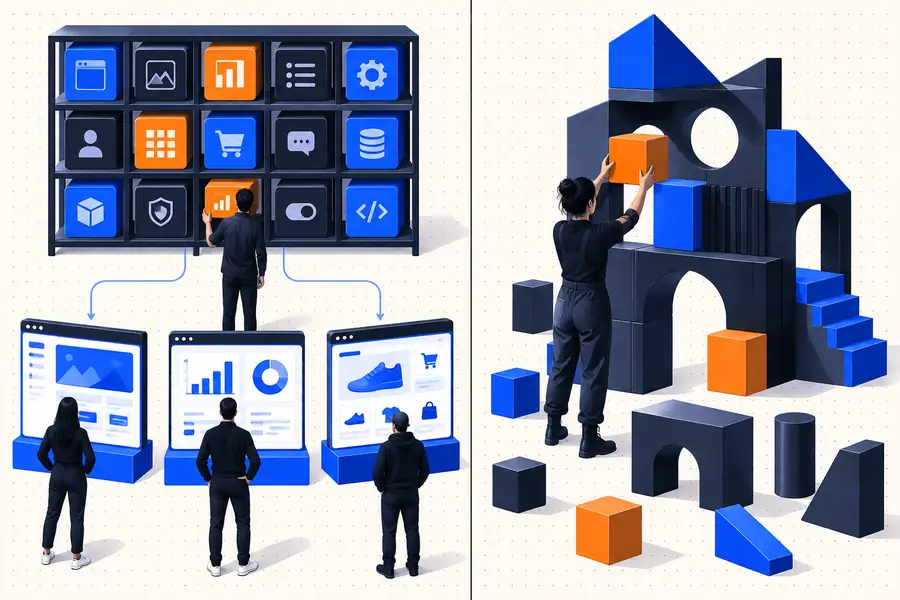
Choose a starting point
You do not need a finished specification. A clear audience, a short list of tasks, and a willingness to review the first version are enough to make Base44 templates useful.
Start with a lightweight launch workspace, then link the template to the pages your first users need.
You get a focused foundation for validating an idea before adding edge cases.
base44 website builderAdapt a tracker template for requests, owners, status changes, and recurring follow-ups across a small team.
The initial structure turns a loose process into a visible workflow.
base44 appsUse a portal template as the base for briefs, milestones, files, and client approvals.
You can present a consistent client experience without designing every screen from zero.
base44 pricingFrom idea to draft
A strong first pass comes from narrowing the request, checking the generated structure, and making changes in small, testable batches.
Describe who will use the app, what they need to accomplish, and which information must be visible first. For example, ask for a client portal rather than simply asking for a modern app.
Ask Base44 to adjust one area at a time: navigation, fields, permissions, visual hierarchy, or a workflow. Specific requests make it easier to tell whether the template is moving in the right direction.
Open the main screens as a real user would. Check empty states, form behavior, mobile layouts, and any action that changes or saves information before treating the draft as ready.
Prompted examples
These examples show how the same template-led approach can support different jobs. Copy a prompt, then replace the audience, fields, and workflow with your own details.
 Operations
1
Operations
1
Build a simple team operations dashboard with task owners, priority, due dates, status filters, and a weekly progress summary.
 Client work
2
Client work
2
Create a client portal with project milestones, shared files, approval buttons, update history, and a contact form for questions.
 Events
3
Events
3
Make an event planning app with a guest list, session schedule, speaker details, RSVP status, and a mobile-friendly check-in view.
Keep the core workflow, then swap in your audience, terminology, fields, and success criteria.
Know the edges
Templates reduce blank-page work, but they do not remove the need for product decisions. These are the common points where a promising first draft needs extra care.
If the request only says “make a professional app,” the result may have attractive sections without a useful workflow or clear priority.
WorkaroundState the user, the main task, the required data, and the action that should happen after each important step.
A template can suggest roles and access patterns, but sensitive information should not be assumed to be protected simply because a role selector exists.
WorkaroundList each role’s allowed actions and test access with separate user types before sharing real data.
Highly specialized calculations, legacy processes, or many exception paths can make a standard template feel restrictive.
WorkaroundStart with the simplest valid workflow, document exceptions, and add them one by one after the main path works.
Visual consistency does not prove that forms, saved states, responsive layouts, or empty states behave correctly.
WorkaroundRun a short acceptance checklist on desktop and mobile using realistic sample records.
Continue exploring
Use these neighboring guides to decide whether a template, a broader app build, or a publishing workflow best matches your next step.
Make the first draft
Pick the closest starting point, describe the people and tasks it must support, and improve the draft through focused revisions. Base44 templates are most useful when they shorten setup without replacing your judgment.
Build from a templateQuestions answered
Base44 templates are starting structures for common app directions such as dashboards, portals, planners, and internal tools. They give you an initial arrangement of screens and workflows that you can adapt with a written request.
Yes, customization is the main reason to use a template rather than keeping the first draft unchanged. Describe the fields, pages, branding, user roles, and workflow changes you need, then review each revision.
You can begin with plain-language instructions rather than writing code from scratch. You still need to make product decisions and test the result, especially when the app handles permissions, important records, or unusual business rules.
Choose the option that matches the central job your users need to complete, not just the visual style you prefer. A client portal fits shared project communication, while a dashboard fits monitoring status, ownership, and progress.
A template can accelerate the first version, but a generated draft should not be treated as automatically production-ready. Review data behavior, access rules, mobile layouts, error states, and the full user journey before launch.